Illustrative example for packaged coffee sold by the unit. Demand is assumed steady and no supplier delivery is already on its way.
| Input | Example | What to check |
|---|---|---|
| Average daily sales | 8 units | Use a representative period |
| Supplier lead time | 3 days | Count time until goods are usable |
| Safety stock | 10 units | Allow for variability and delays |
Set a threshold, then check the purchasing decision
(8 units/day × 3 days) + 10 units = 34 units. With 30 units available, the item is below its starting threshold. This does not mean you should buy exactly 4 units: order size also depends on deliveries already ordered, pack sizes, storage, expiry dates and the period you want to cover.
This simple calculation assumes steady demand. Seasonal peaks, promotions and unreliable deliveries need a different reserve. Avoid applying a large safety stock to perishables without checking shelf life and waste.
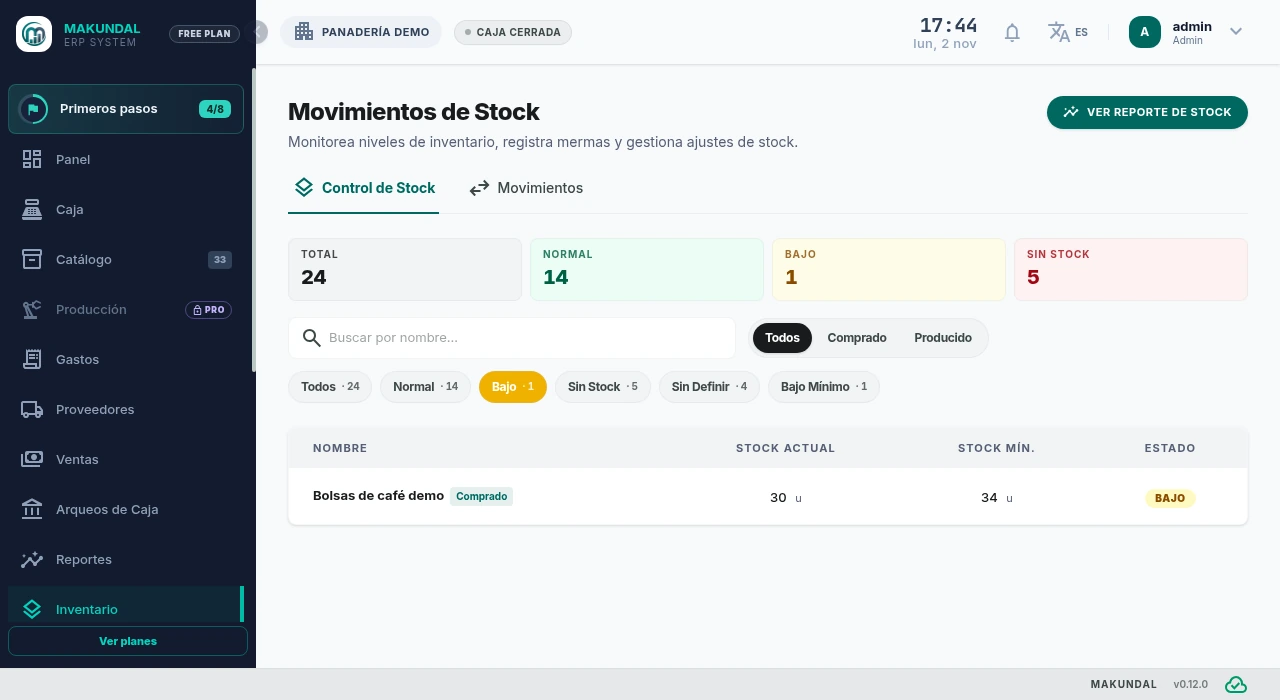 Open Desktop picture full size in a new tab
Filter low stock, search by name and inspect the 30 coffee bags against their minimum of 34.
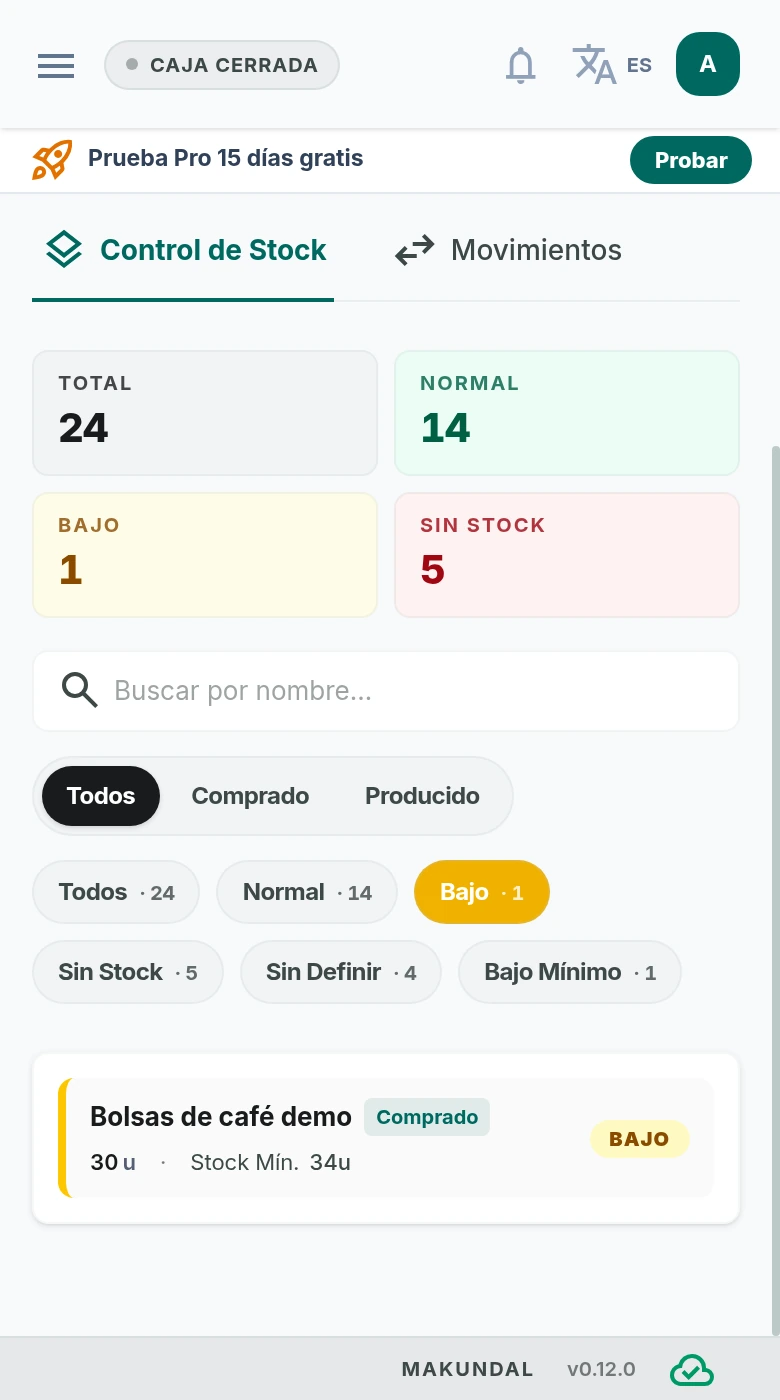 Open Mobile picture full size in a new tab
Search and filter stock on mobile, then open a product card to review its quantity and minimum.
Actual Makundal screens in Spanish, using demonstration data. Open the image to view it full size in a new tab.
Use this method in Makundal
Choose the stock unit
Create the purchased item in Catalog using the unit you actually count. Keep supplier packs and selling units consistent before comparing quantities.
Set the minimum
Open the item in Stock Control and enter the minimum stock you selected. In this example, the minimum is 34 and the current count is 30.
Review low-stock items
Use the Low and Out filters to review shortages. Confirm incoming deliveries and physical counts before ordering. Makundal shows your configured thresholds; it does not submit supplier orders.
Record receipts and revise the threshold
Register purchases and mark goods as received when they arrive so stock reflects receipts. Revisit the minimum when demand, delivery time or shelf life changes.