Simplified costing example in Chilean pesos (CLP), not a baking formula. Only the three listed ingredients are included; add every other ingredient and expense from your actual recipe.
| Ingredient and purchase price | Quantity used | Batch cost (CLP) |
|---|---|---|
| Flour · CLP 800/kg | 5 kg | 4,000 |
| Butter · CLP 3,000/kg | 0.5 kg | 1,500 |
| Yeast · CLP 5,000/kg | 0.1 kg | 500 |
Divide by saleable output
CLP 4,000 + 1,500 + 500 = CLP 6,000 per batch. Divide by 100 saleable rolls: CLP 60 of ingredients per roll. At 90 saleable rolls, CLP 6,000 ÷ 90 ≈ CLP 66.67. Use your actual yield when reviewing the economics.
Ingredient cost is not your full operating cost or profit. Include packaging, waste, labor, energy, rent, payment fees and applicable taxes in your pricing decision. The editor screenshot shows the configured recipe yield; it does not establish the actual yield of every batch.
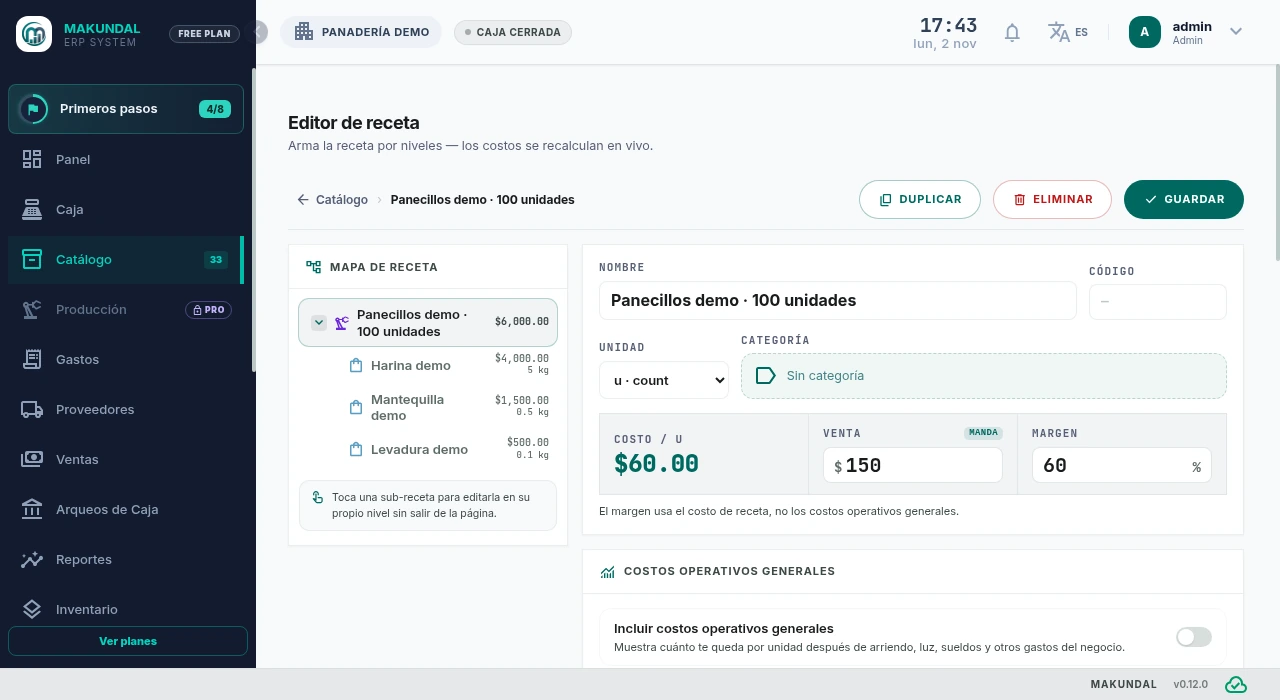 Open Desktop picture full size in a new tab
Inspect ingredients, change quantities and watch the cost of 100 demonstration rolls update on desktop.
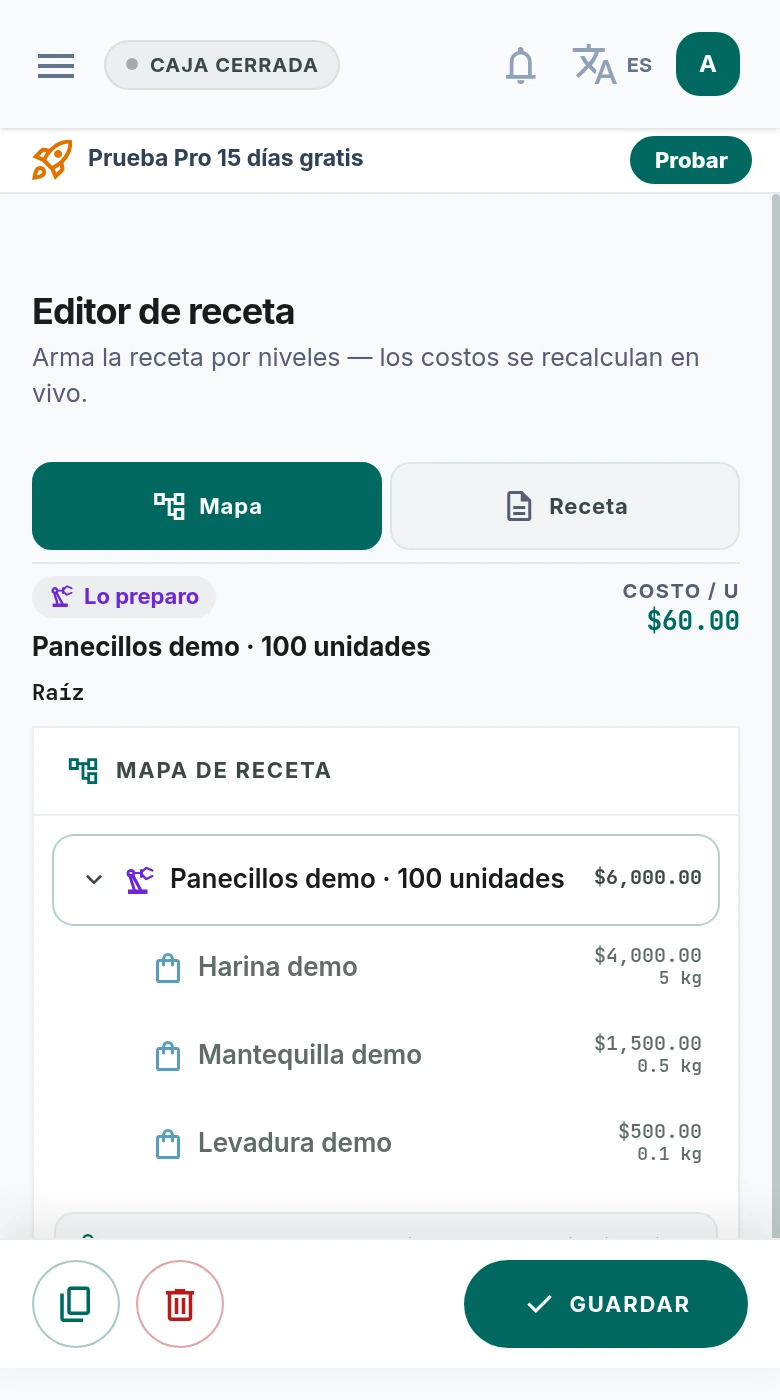 Open Mobile picture full size in a new tab
Switch between the recipe and cost map on mobile. The example returns to CLP 6,000 per batch and CLP 60 per unit.
Actual Makundal screens in Spanish, using demonstration data. Open the image to view it full size in a new tab.
Use this method in Makundal
Enter purchase costs and units
In Catalog, create the ingredients with their purchase units and costs. Check conversions when a recipe uses grams but purchasing uses kilograms. Use your invoices, not the example prices.
Build the recipe
Create a produced item, add its ingredients and quantities, and set the recipe yield. The editor shows the recipe cost and the cost per output unit. Review them before saving.
Record production and losses
Production is part of Pro. For goods made in advance, use it to consume ingredients and add finished stock. Record real losses in Stock Control and compare what was made with what can be sold.
Review when prices or portions change
Update the catalog costs from new purchases and check the resulting recipe cost. Revisit portion sizes and your selling price; a price above ingredient cost alone does not guarantee a profitable business.